Quick QR check-in
Share a location code at the entrance, on a sign, or in advance. Customers scan it, sign in with a secure email link, confirm their visit details, and receive a queue number.
Qlify (queue-li-fy) lets you join with a quick scan, follow your place from any phone, and arrive when it matters. Teams get clear tools to serve people fairly and keep every location moving.
North Street Service Center
Queue is moving normally
Now serving
A-014
Called just now
Up next
About 8 minutes
You joined the queue
Your number is A-018
One clear queue
Qlify gives businesses a shared view of who is waiting, who has been called, and what needs attention next. Customers can check in from their own phone and follow progress without crowding a service area or repeatedly asking for an update.
Share a location code at the entrance, on a sign, or in advance. Customers scan it, sign in with a secure email link, confirm their visit details, and receive a queue number.
People can see their current status and place in line as the queue moves. Teams work from the same up-to-date view.
Spot busy hours, queue peaks, wait times, and service outcomes for one location, a group, or the whole workspace—then save the view for your next conversation.
The queue journey
These real Qlify screens use sample queue data to show exactly what customers and teams see as service moves forward.
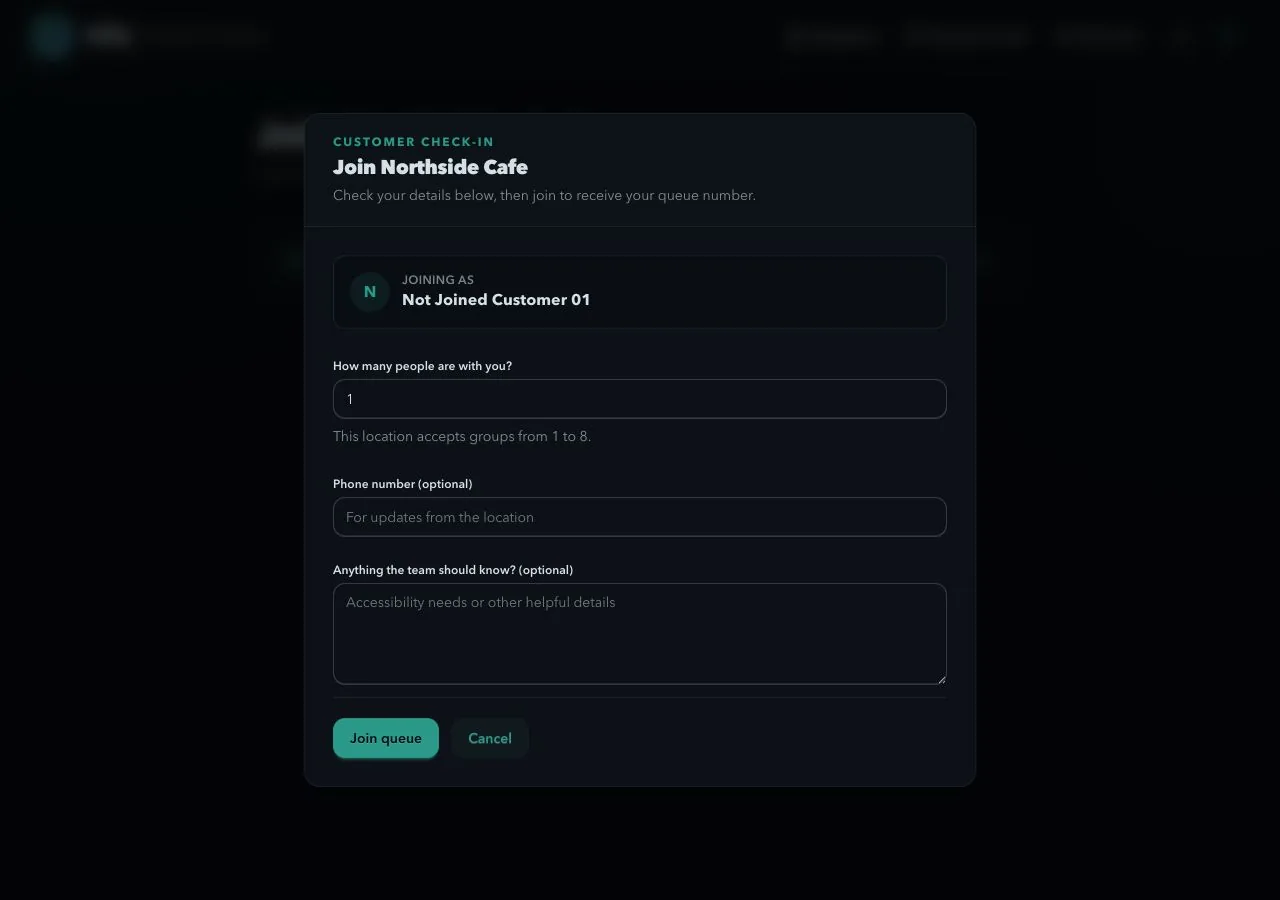
They confirm their group size and can share optional details before joining.
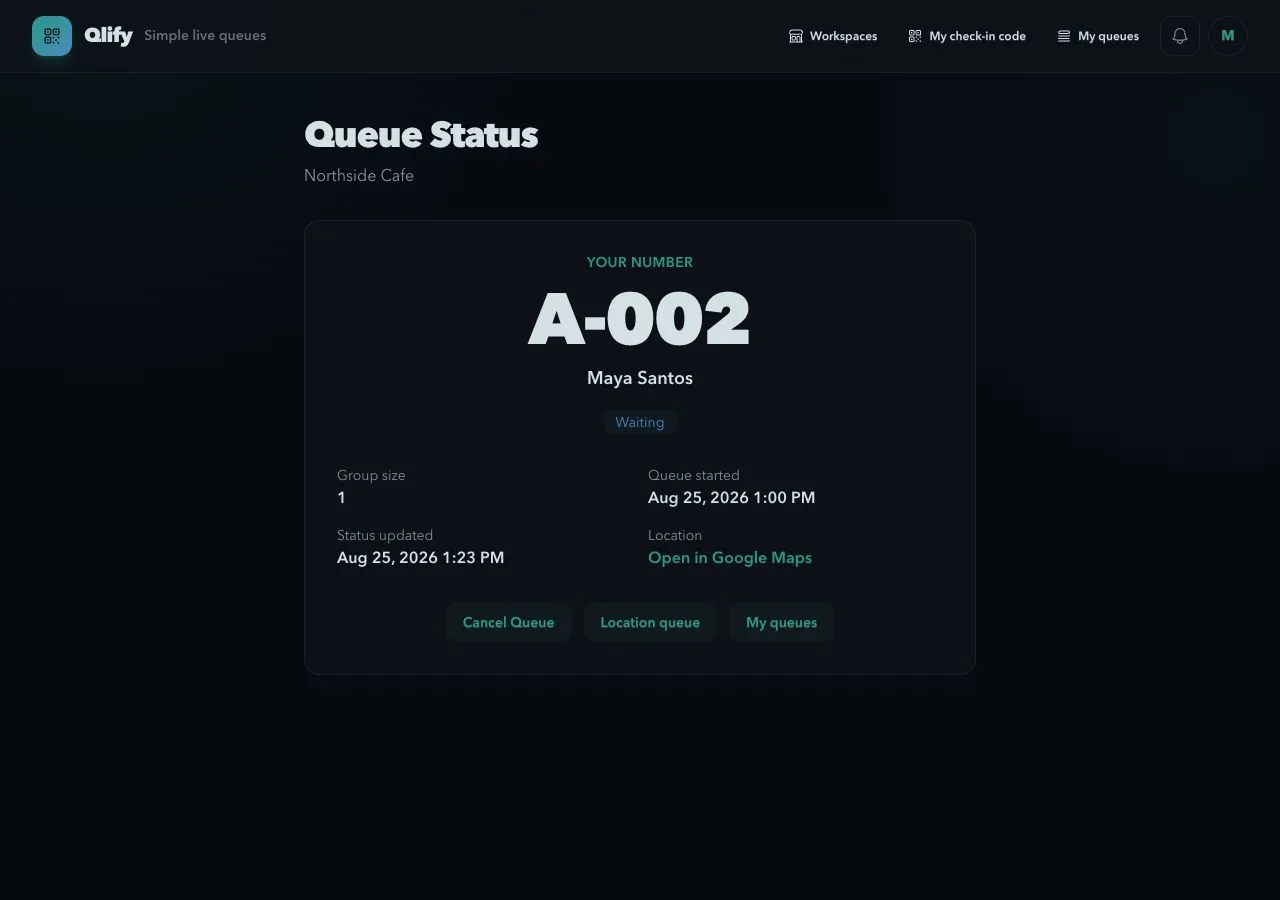
Their queue number and current status stay easy to find from any phone.
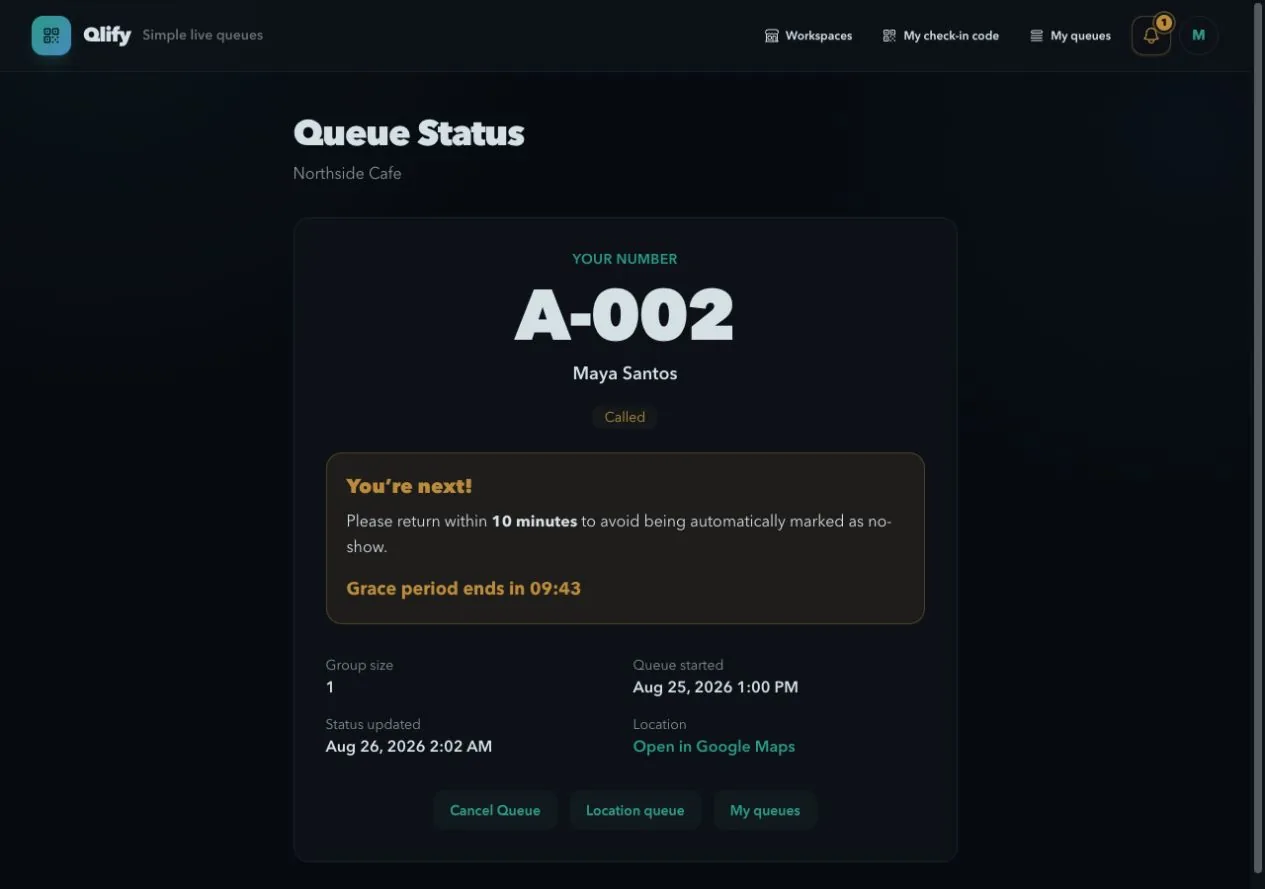
They return when called and show their queue QR to crew for confirmation.
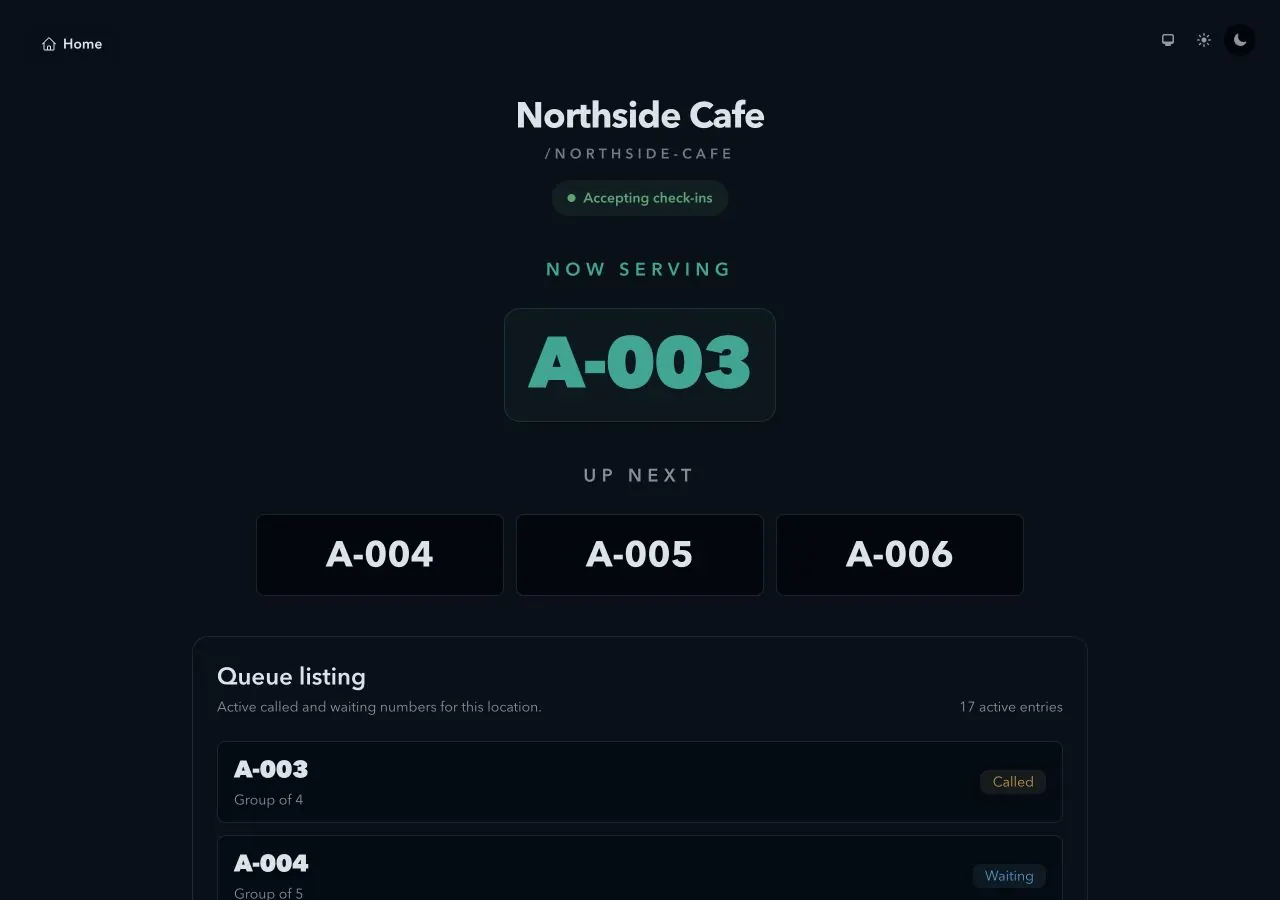
The public view shows queue numbers and progress without revealing customer identities.
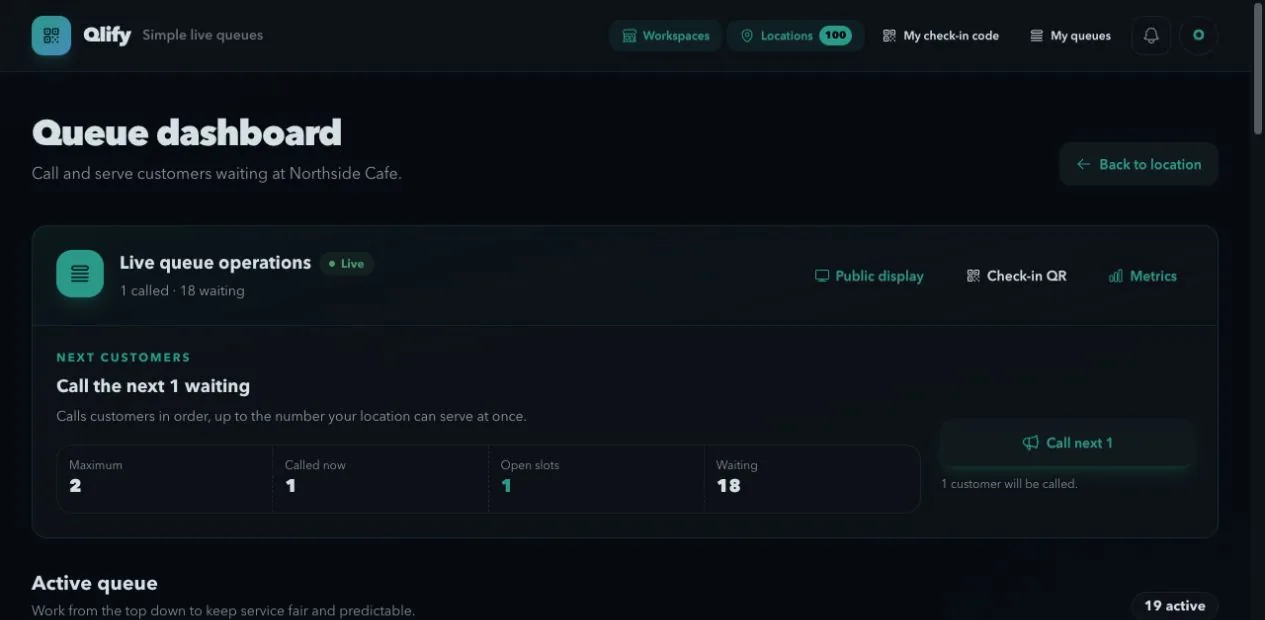
Crew see capacity, waiting totals, and the next fair action in one place.
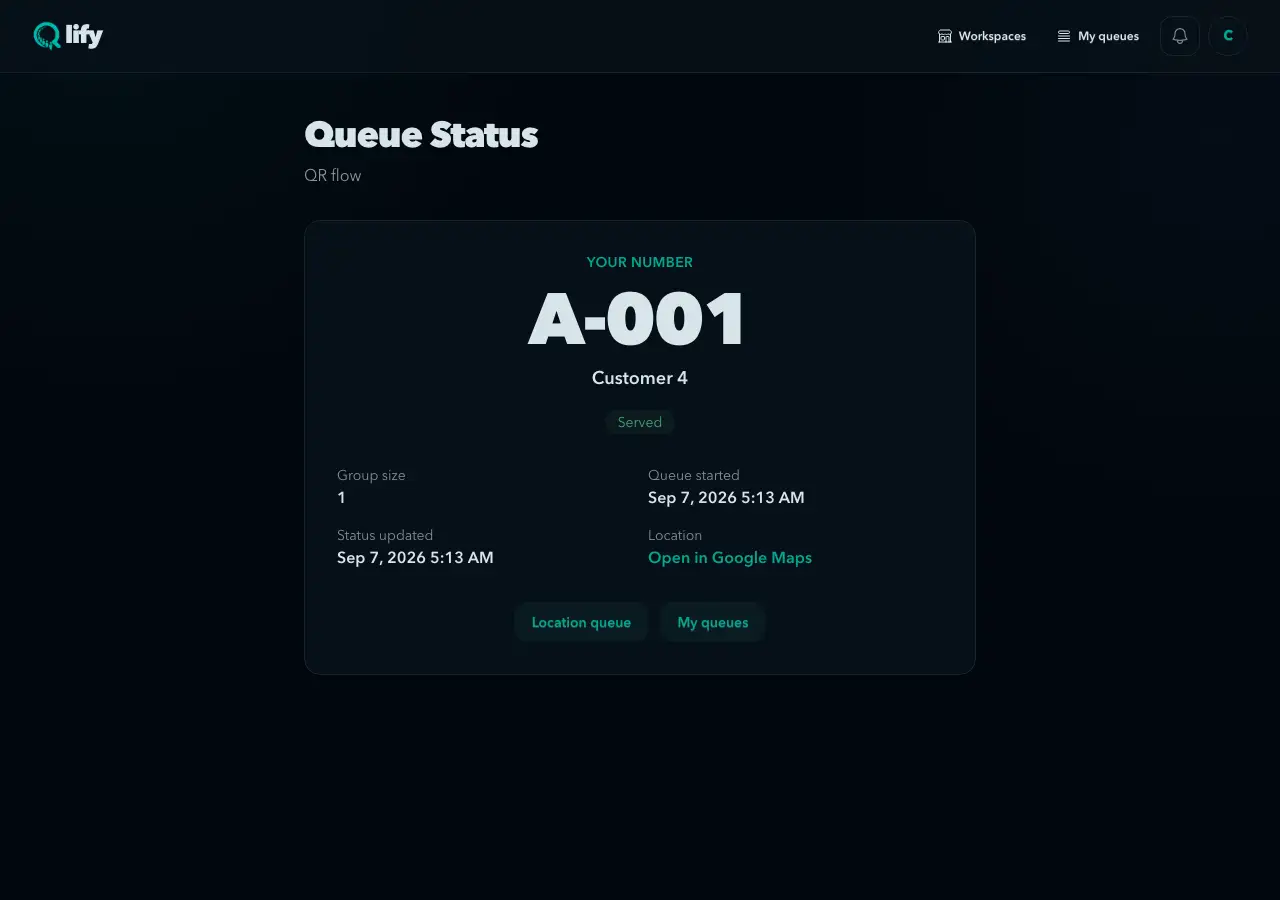
An authorized team member scans the called customer’s QR, and the completed visit appears in their history.
For businesses
Create a workspace, group the places where you serve people, and assign each person the right level of access. Customers join from a location code and show their queue QR to crew after they are called. Group and workspace reports show the wider picture.
Automatic No-Show is on by default. Turn it off for any location that prefers staff to handle no-shows after its waiting period. Calling and serving stay the same. Explore no-show handling
Set up a Qlify workspace and give customers a queue they can understand from check-in to service.
We can't find the internet
Attempting to reconnect
Something went wrong!
Attempting to reconnect